Kronos Agent · Open source · No telemetry

Local. Private.
Yours.

Kronos is an AI agent that works on your own computer: it reads your code, runs the commands you allow and checks its work before it says it is done. Nothing leaves your disk unless you send it.

  • Runs on your machine
  • Your own API keys
  • Checks its own work

Linux or a server? curl -fsSL https://kronos-agent.vercel.app/install.sh | bash

Our infrastructure

  • OpenRouter
  • Open Inference
  • Crusoe
  • Wafer
  • Z.ai
  • MiniMax
  • NVIDIA
  • DeepSeek
  • Clerk
  • Supabase
  • Vercel

Three Promises

Built To Be
Trusted

An agent reads your code and runs commands. It should do that on your terms, on your machine, and do it well.

Armoured knight in profile with a closed visor

Local

I

It lives on your machine.

  • Runs in your terminal, the desktop app or on your own server.
  • Sessions, memory and skills are plain files in ~/.kronos — yours to read, back up or delete.
  • Works with local models through Ollama or LM Studio, even offline.

Engraved eye with a spiral galaxy for an iris

Private

II

Nothing leaves unless you send it.

  • No telemetry — it is off by default.
  • Your API keys stay in ~/.kronos/.env; requests go straight from your machine to the provider you chose.
  • An OS sandbox and command approvals keep the agent inside the folders you allow.
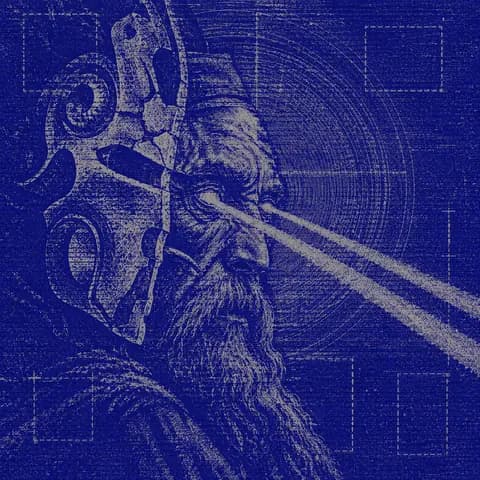
Bearded seer behind a broken mask, a beam of light from his eye

Quality

III

Done means checked.

  • Runs your tests, linter and type checks before it says it is finished.
  • Reviews its own changes and fixes what the review finds.
  • Notices when a test was weakened instead of the code fixed, and says so.

Bring Your Own Keys

Your Keys.
No Middleman.

Paste a key in Settings → Providers & API keys, or run kronos setup. Kronos checks it live, keeps it on your machine, and talks to the provider directly. Free, and no account needed.

  • OpenAI
  • Anthropic
  • Google Gemini
  • OpenRouter
  • Groq
  • DeepSeek
  • Mistral
  • xAI
  • Together
  • Fireworks
  • Ollama
  • LM Studio
  • Any OpenAI-compatible endpoint

Three Steps

From Install
To Answer

I

Download Kronos

The app for Windows or macOS. On Linux, one line in a terminal.

II

Connect a model

Paste your own API key or pick a local model. Sign in from the app only if you want Kronos Cloud.

III

Start working

Open a folder and ask. In a terminal, kronos does the same.

$curl -fsSL https://kronos-agent.vercel.app/install.sh | bash

Optional · Kronos Cloud

No Keys?
Use Ours.

For people who would rather not manage API keys: four open models, each pinned to one inference provider, with a membership.

Winged figure diving into a spiralling checkerboard
  1. IGLM 5.3 FlashOpen InferenceFast coding and long agent runs. cloud:glm-5.3-flash
  2. IIMiniMax M3.1 FlashNebius Token FactoryStrong tool use at a low price per task. cloud:minimax-m3.1-flash
  3. IIINemotron 3.5 Super VLVisionCrusoeReads screenshots, diagrams and documents. cloud:nemotron-3.5-super-vl
  4. IVDeepSeek V4.1 Flash 1017WaferReasoning and code at flash speed. cloud:deepseek-v4.1-flash-1017

Memberships

Choose Your
Allowance

Every plan opens all four Kronos Cloud models. Usage resets every 5 hours and every week. Your own keys stay free either way.

Astronaut at the top of a stone staircase before a radiant moon

Lite

I
Half of Pro

For trying Kronos Cloud on everyday tasks.

Armoured knight in profile with a closed visor

Pro

II
Standard usage

For daily work with the agent.

Bearded seer behind a broken mask, a beam of light from his eye

Max 5

IV
5× Pro usage

5× the usage of Pro, for running Kronos all day.

Memberships and promo codes live in the app: Settings → Membership, or kronos redeem CODE in a terminal.

Kronos Agent — local, private, yours